QR Code Safety Guide
How to spot fake codes, avoid scams, and keep your data safe in 2026.
What is QR Phishing (Quishing)?
You've heard of Phishing (email scams)? Meet Quishing (QR Phishing). Scammers are using fake QR codes to steal credit card numbers, passwords, and personal identity. The FBI has reported a 51% increase in QR-related fraud since 2023.
Because humans can't "read" a QR code just by looking at it, we blindly trust where it takes us. Read our full guide on The 5 Most Common QR Scams in 2026 to learn more.
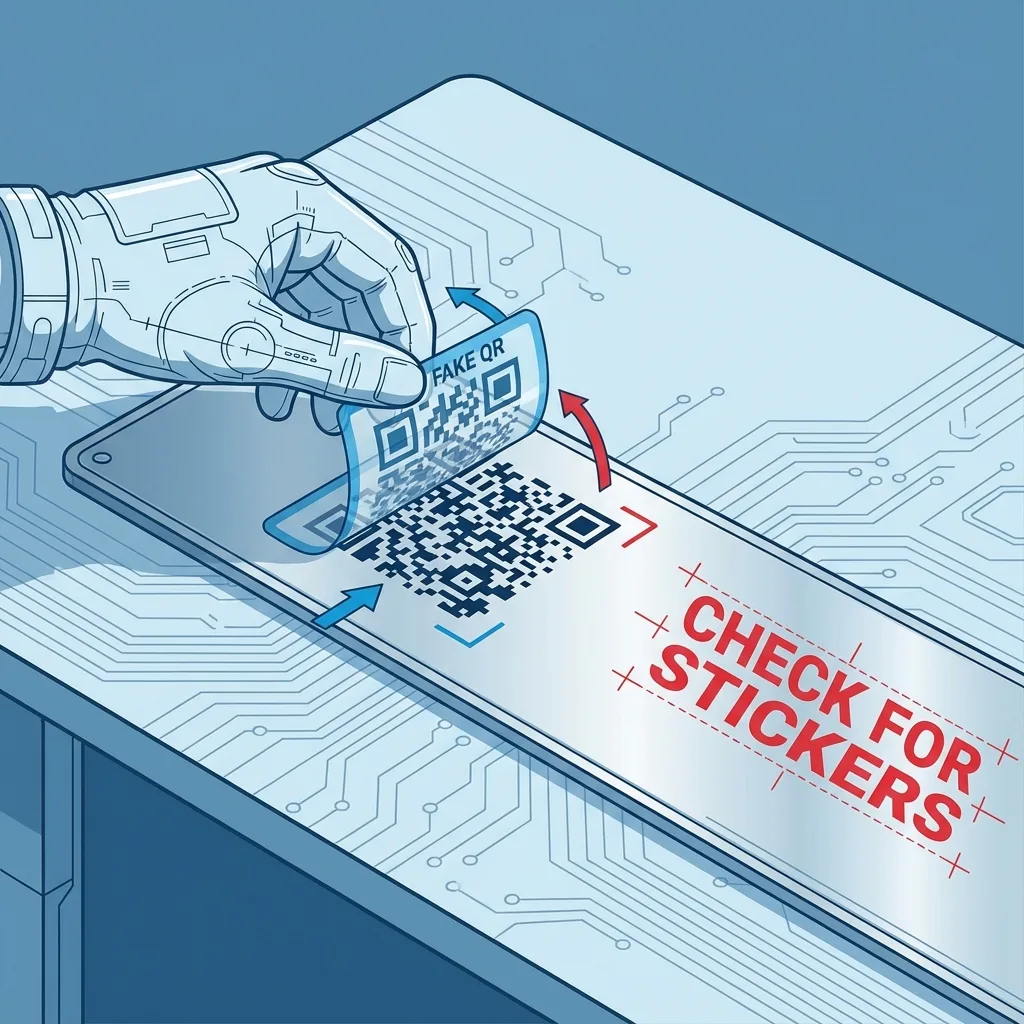
Example: The "Sticker Overlay" Scam
1. The "Sticker Check"
This is the #1 physical scam. Scammers print their own QR code stickers and paste them OVER legitimate codes on parking meters, restaurant tables, and bike-share stations.
Action: Run your finger over the codes in public places. If it feels like a sticker stuck on top of another surface, DO NOT SCAN IT.
2. The URL Preview
Your phone camera is smart. When you hover over a code, it shows a little yellow or grey box with the website address (URL). Read it!
Misspelled domain
HTTP (No Lock)
Correct HTTPS
Trusted Domain
Why Static Codes Are Safer
Our generator creates Static QR Codes. Why does that matter for safety?
No Redirects
Static codes go directly to the destination. There is no "middleman" server that can swap the link to a scam site later. Learn why Static is safer.
100% Client-Side
We generate the code in YOUR browser using tools like our Secure WiFi Generator. Your data never travels to our server.
Safety Checklist: Before You Scan
- Is the QR code physically part of the sign/menu, or is it a sticker?
- Does the URL look strange or misspelled (e.g., pay-pal.com)?
- Are you being asked to download an app unexpectedly?
- Does the site ask for urgent payment or password login immediately?
How to Report a Fake QR Code
If you encounter a suspicious QR code, reporting it helps protect others. Here's what to do:
Report to the Business
- Take a photo of the suspicious code
- Note the exact location (e.g., "Table 5, north wall")
- Alert a manager or staff member immediately
- If it's a sticker overlay, ask them to remove it
Report to Authorities
- FBI IC3: ic3.gov (US)
- FTC: reportfraud.ftc.gov
- Local Police: For physical tampering (vandalism)
- Google Safe Browsing: Report malicious URLs
Real-World QR Code Scams (2024-2026)
Learn from these actual incidents to stay vigilant:
What Happened: Scammers placed fake QR code stickers on parking meters across downtown Austin. The codes led to a fake payment site that stole credit card information.
Red Flags:
- The QR code was a sticker placed over the original meter instructions
- The payment site had a slightly misspelled URL (parkingaustin.com vs austintexas.gov)
- The site asked for CVV code (legitimate parking apps rarely do)
Lesson: Always run your finger over parking meter QR codes. If it's a sticker, report it to the city.
What Happened: Scammers replaced restaurant table QR codes with their own. Instead of the menu, customers were redirected to a phishing site asking for "verification" to view the menu.
Red Flags:
- The site asked for email and phone number "to view the menu"
- Some versions asked to download an APK file (Android malware)
- The URL was a random string (bit.ly/x7k9m2) instead of the restaurant's domain
Lesson: A legitimate menu QR code should never ask for personal information or app downloads.
What Happened: Scammers left fake "missed delivery" notices with QR codes on apartment doors. The codes led to a fake USPS/FedEx site asking for "redelivery fees."
Red Flags:
- The notice had no tracking number
- The QR code URL was not usps.com or fedex.com
- The site asked for payment immediately (real carriers reschedule for free)
Lesson: Never pay "redelivery fees" through a QR code. Go directly to the carrier's official website or app.
Create Safe, Static QR Codes
Our generator creates permanent, client-side QR codes that can't be hijacked or tracked.
Start Generating